
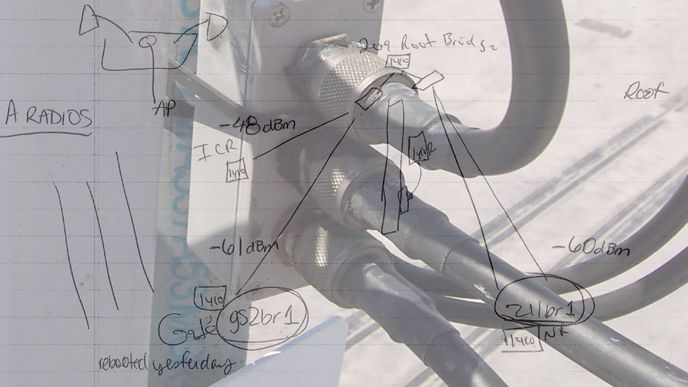
The call came in on a hot April morning. Intermittent connectivity at the guard shack. That was seventeen years ago. The diagnostic approach I used that day is still the one I follow now. The site was a commercial facility with multiple buildings connected by wireless infrastructure. A setup common in manufacturing, logistics, and campus environments.
We'll call the customer Sheila for the sake of this story. Sheila says she's inspected the RF splitter that is mounted to a mast on the roof of the guard shack. She says it doesn't look good and it might be wet from the storm that blew in over the weekend. Sheila had enough technical background to give me something useful, packet loss numbers and latency data before I even arrived on site.
This was a point-to-multipoint rooftop deployment, multiple remote locations receiving wireless connectivity from a single centrally mounted antenna. Outdoors, long distance across open fields, and a customer who could give me real data about what the problem might be. The equipment has been in place quite a while and has likely taken a few beatings from bad storms.
My first stop on the way to the customer site was to pick up a spare 2 way RF splitter, a new 3 foot LMR-400 patch cable and my co-worker Rob. Before touching any hardware, I ran a spectrum analysis at the guard shack to rule out RF interference as a cause. Starting with software and signal data before touching any hardware is standard practice. It prevents potentially unnecessary hardware replacements and keeps the diagnostic process honest.
As I was walking back across the grassy field from the guard shack, Sheila was hollering at me from across the field, waving her arms. I stopped in the middle of the grassy field and heard her tell me not to walk through that grassy area because it is filled with snakes. Super. I guess I got lucky that day because I didn't find any snakes in the field.
I climbed the ladder to the roof and the splitter showed visible signs of water ingress at the connector housing. Exactly what Sheila had suspected. I replaced the 2 way RF splitter then had Sheila test the connection with continuous pings from a PC in her office to the guard shack PC. Next I replaced the LMR-400 cabling feeding the sector antenna that fed the guard shack. Sheila tested the link again and saw immediate improvement in the ping packet response time. The ping packet response was now near 1 millisecond or less.
Sheila then did her final test, an internet based file transfer to the guard shack and she was pleased with the results. Now to make the rooftop repair permanent. I formed the drip loop in the LMR cabling and had Rob secure it in place with zip ties. Rob handled the physical securing so I could stay focused on the live testing with Sheila. Two sets of hands on a rooftop repair keeps the work moving without interrupting signal monitoring. I applied a packet of RF coax sealant to the RF splitter and the head end of the LMR cable I'd just replaced.
Sheila was testing the link throughout the application of RF sealant and zip ties. Sheila was pleased with the output of her extended ping commands. From the non-root bridge Sheila sent 10,000 ping packets of 1500 bytes to the root bridge IP address, and observed 0% packet loss. This is the wireless equivalent of a clean bill of health.
Within an hour of arriving on site, the link was restored. Root cause was indeed water intrusion into the LMR cabling at the 2 way RF splitter. Before leaving the site I documented findings, root cause, and the corrective actions taken. Sheila received the completed site visit report the same day.
The documentation trail from the initial site visit report to the final deliverable is what allows a future engineer to pick up where I left off without starting from zero.
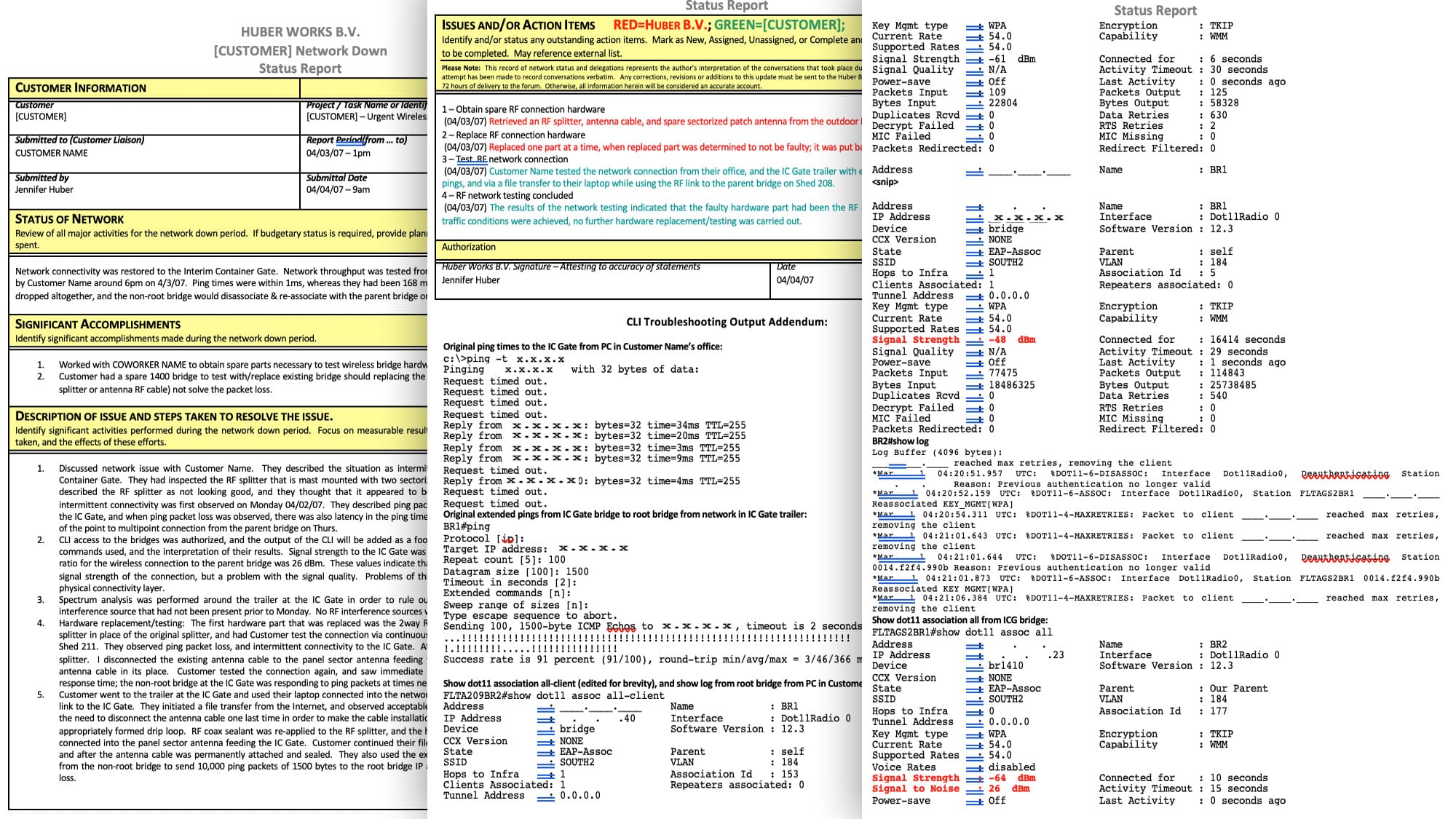
If you're dealing with a similar issue or want to see how I structure site visit documentation, I'm happy to have a conversation. The troubleshooting template I use for engagements like this one is available on request. No strings attached.
The tools have evolved. The process hasn't.